
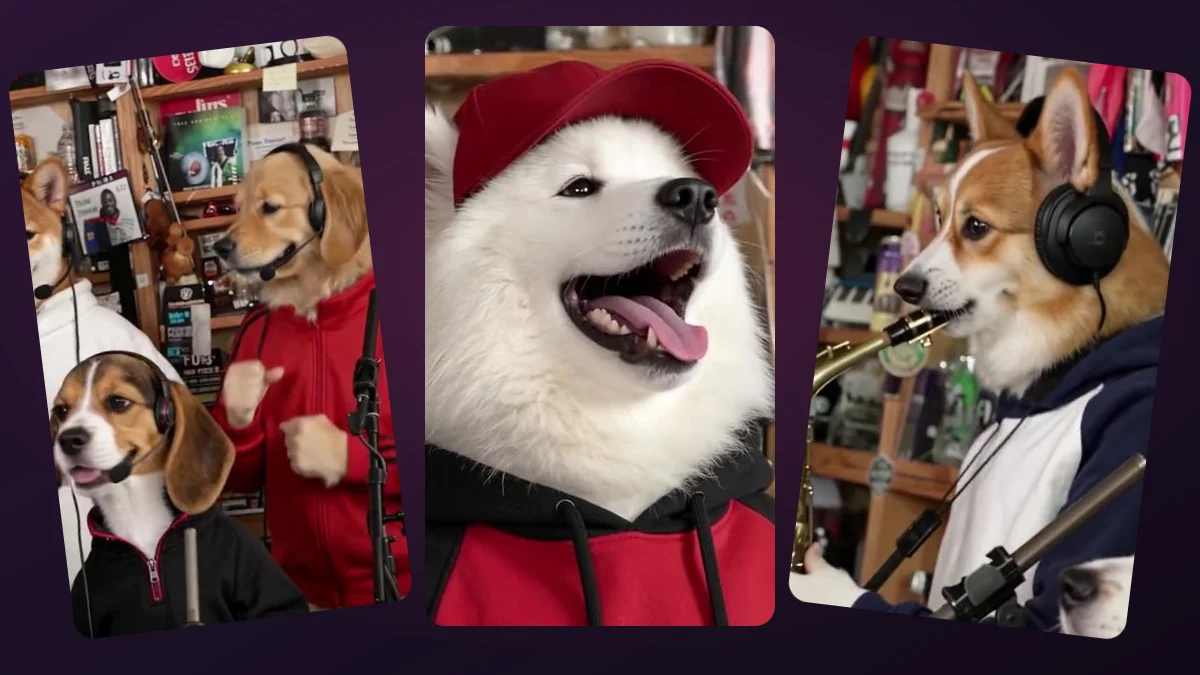
What do I need to make this meme?
Prepare one to five separate, well-lit JPG, PNG or WebP portraits, up to 10 MB each. Use images only of adults who agreed to appear. A group photo cannot fill five upload positions, and the dogs in the example are role markers, not recommended upload subjects.
This walkthrough is for making an original 15-second AI band clip with our preset scene and soundtrack. It does not show you how to edit or repost someone else's concert recording.
How to make the Outstanding meme, step by step
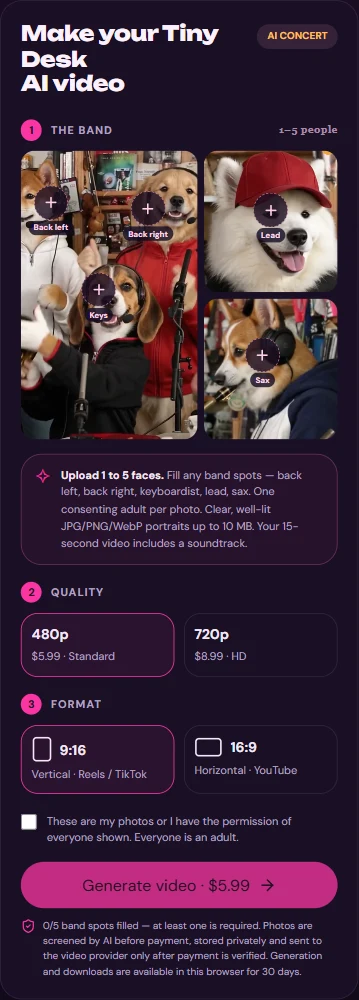
Open the studio on this site and follow the labeled upload positions. The controls shown below are the actual mobile studio; the reference dogs only explain who occupies each slot.
- Choose the first labeled role and upload a consenting adult's individual portrait; wait for its photo check.
- Add other portraits if wanted, up to five. Put the intended main singer in the fourth upload position labeled Lead; verify the previews before paying.
- Select vertical 9:16 for a phone-style clip or horizontal 16:9 for a wider video.
- Choose Standard 480p ($5.99) or HD 720p ($8.99). These are one-time prices per generated video, not a free render.
- Confirm consent, review the checkout dialog and optionally enter a delivery email; pay only after checking the final amount.
- Return to the same browser to see generation status. When the 15-second MP4 is ready, play it with sound and download your copy.
Which friend should be the singer?
Lead is the fourth slot, not the first. The other four positions fill supporting band roles; you can start with just one person, but a fuller lineup needs separately uploaded portraits. The model uses portraits as guidance rather than pasting each face into every frame.
Watch the demo before you order if the framing matters to you. Even a close-up in the reference does not guarantee the exact same shot, facial expression or word-by-word mouth movement in your render.
What if my upload or finished video looks wrong?
If a photo is rejected, try a clearer, front-facing adult portrait in a supported format. Avoid cropped faces, several people in one picture, and unapproved likenesses. Check that you have not accidentally placed the singer in a backing slot before checkout.
The fixed audio is added to AI-generated footage; you cannot submit lyrics, select a different song, or force exact lip sync. AI can alter eyes, hands or facial details. Review the result before sharing, and do not present it as a real performance.
Can I make it free, and how long can I get my file?
Watching the example is free, but generating a personalized video costs $5.99 for 480p or $8.99 for 720p. You receive a 15-second MP4, not an editable template or GIF.
Finished videos are stored privately and are available for up to 30 days. Use the same browser to retrieve your order; clearing its cookies or switching devices may make it harder to find. Download the file promptly instead of treating browser history as a backup.
Is this an official Outstanding or Tiny Desk release?
No. This is an independent AI-created concert-style video, not an NPR/Tiny Desk production, a custom recording by an artist, or proof of music rights. Obtain the appropriate permissions for photos and audio before public or commercial distribution.
Upload one to five adult portraits. Choose your format, check the one-time price, and make a 15-second video with the fixed soundtrack.
Make my video →