
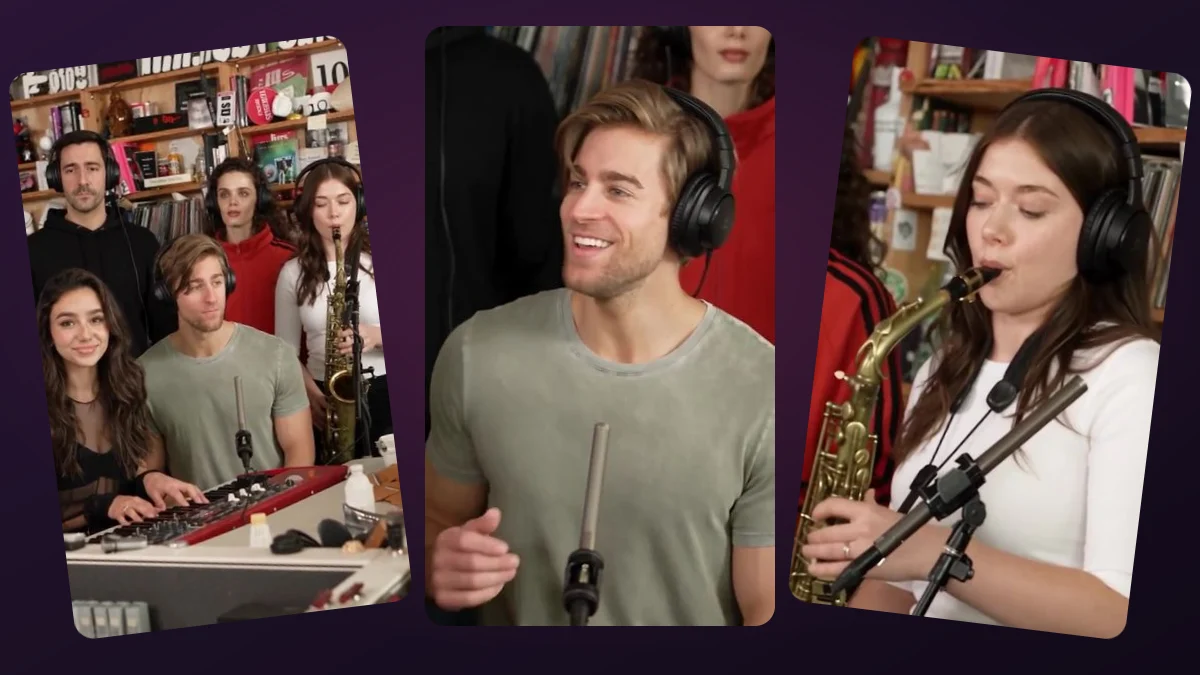
Can one portrait fill a whole band?
One photo is enough to submit an order, but it guides only the role you select. It does not automatically turn you into all five musicians or make five identical copies of your face. Unfilled positions do not have supplied identities and their appearance can vary in the AI-generated scene.
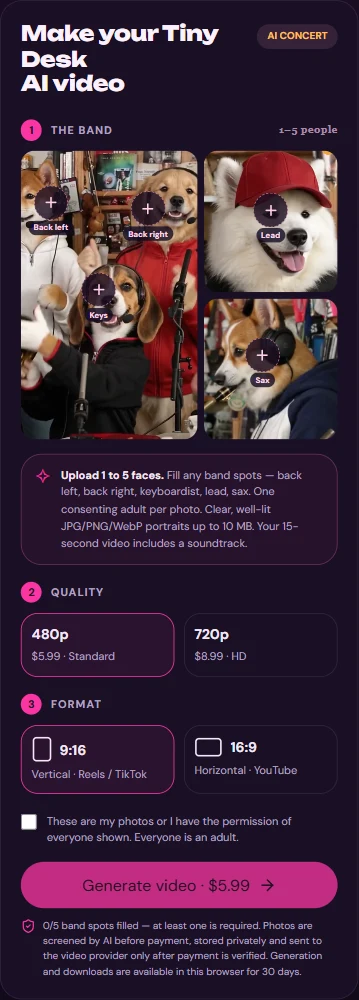
For an intentional five-person cast, use a separate authorized adult portrait for each slot. For a solo-first clip, place your one photo in Lead, the fourth upload position; the first slot is Back left.
How to create a concert video from one photo
You can use the browser-based studio; you do not need to install an app or find a separate editing template. The screenshot shows the actual upload labels and checkout options.
- Choose a clear, front-facing JPG, PNG or WebP portrait of one adult who has consented; keep it under 10 MB.
- Open the studio and tap Lead, the fourth slot. Upload the individual portrait and wait for its photo check to finish.
- Choose vertical 9:16 or horizontal 16:9, then Standard 480p ($5.99) or HD 720p ($8.99).
- Confirm consent, review the final one-time charge, optionally supply a delivery email and complete checkout.
- Return to the same browser to see progress, then play and download the finished 15-second MP4 before the 30-day access limit.
Which photo works, and what if the upload is rejected?
Choose an individual portrait with visible eyes, enough space around the face and even lighting. A crowded group photo, a tiny screenshot, a covered face or the wrong file type can fail the check or give the model poor guidance. Do not upload a minor's face or a friend who has not agreed.
Try another clear, supported photo before checkout if the first is rejected. A passed photo check does not promise an exact face match, fixed eye expression or a particular lead close-up in the finished video.
Is this free or available as a phone app?
Watching the sample costs nothing; generating a personalized MP4 is not a free service. The one-time charge is $5.99 for 480p or $8.99 for 720p. Check your final amount before paying. There is no free personalized preview generation or subscription plan promised here.
This is a website you can use in a browser, including on a phone. You do not need a special app. If you open it inside another app's built-in browser, keep using that same browser after checkout so you can retrieve the order.
What will my one-photo order actually deliver?
You get a 15-second AI-created MP4 with the fixed soundtrack, not a real NPR concert, a face-swap of the demo video, a GIF, or an editable song project. Your photo guides a role; it cannot guarantee that every shot shows your face or that the mouth matches each syllable.
Completed files are private and accessible for up to 30 days. Download a copy promptly; a browser cookie helps recover your order but is not a backup of the video.
Upload one to five adult portraits. Choose your format, check the one-time price, and make a 15-second video with the fixed soundtrack.
Make my video →